Cadna B
CadnaB Handling and Modelling
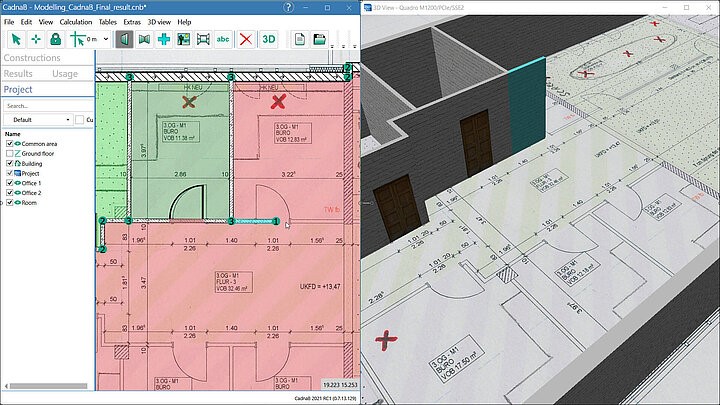
CadnaB´s concept is based on the modelling of the whole building. Walls, doors, windows and other elements can be modelled in 2D while seeing the changes in 3D in realtime:
- Numerous junction types are automatically detected by CadnaB depending on the geometry of the walls and the selected constructions.
- In addition to the geometry of the walls and the assigned constructions, doors and windows can be inserted with a few clicks. The construction of these elements is also selected via the construction browser.
- Furthermore, airborne sound transmitting systems can be added.
- Complete buildings can be imported, created from scratch or constructed by copying storeys.
Connectivity
Import of BASTIAN worksheets
CadnaB provides an easy to use import of BASTIAN worksheets. The single room pair can be directly used for calculation (e.g. according to ISO 12354). If the user activates the compatibility mode to ISO 12354, series 2000, comparable results to BASTIAN can be generated.
Import of INSUL files
CadnaB also imports constructions generated by INSUL (Marshall Day Acoustics)*, as XML files. All data including the sketch are imported. For constructions with several parts, such as a slab with a screed, the user can select which one to import.
Interoperability with CadnaR
Manage and organize CadnaR files for an entire building in CadnaB.
Use CadnaR in the sending and receiving room to consider the position of sources, receivers and obstacles inside the room. The transmission through the wall is calculated based on the building acoustic properties defined in CadnaB including selected constructions, doors or windows.
Automatic calculation of the spatially averaged reverberation time for all rooms which are linked to a CadnaR project.
Interoperability with CadnaA
CadnaB-buildings can be placed in a CadnaA model with a few clicks to calculate the level in front of the façade. In case of ISO 12354, the interior level can be calculated based on the façade level with consideration of the building acoustic properties. When using DIN 4109, the “relevant exterior noise level” can be calculated and transferred to CadnaB.
Project Organization
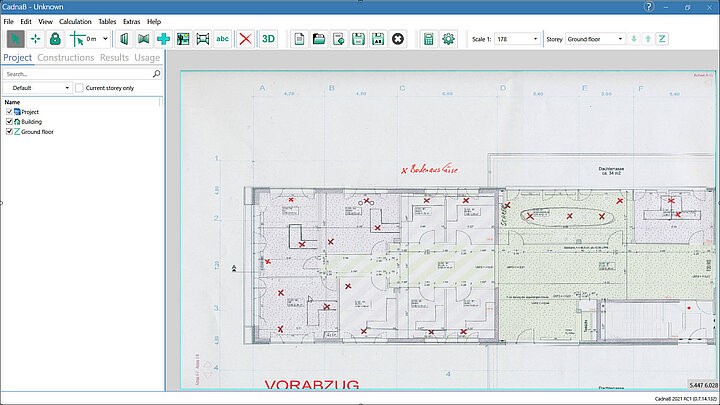
The CadnaB workflow is organised in different modes. Each mode is suited for a certain group of tasks:
- Project mode: used for entering new objects or modifying exiting objects. In this mode, any type of element can be filtered and displayed.
- Constructions mode: This mode is used to assign constructions to walls, doors, windows or floors. When an object is opened, the construction browser appears showing all libraries.
- Results mode: This mode allows to start the calculation, check the results and export a report.
- Usage mode: In this mode you can assign different types of usage to the rooms within your project.
- Noise levels: For defining sound levels for rooms or façade walls.